

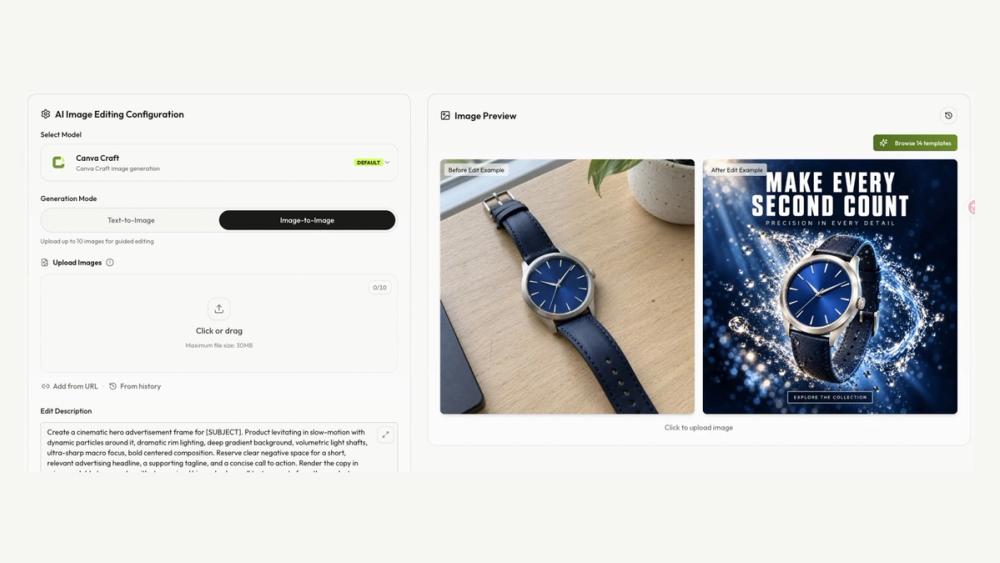
From a brief to a visual draft
Canva Craft is a browser-based tool for generating and editing images from text or visual references. Describe the subject, scene, lettering, and layout to explore poster, advertising, and social graphic concepts.
Typical workflow
- Write a brief or upload reference images.
- Choose an aspect ratio and output settings, then check the credit cost.
- Generate and review the preview.
- Refine the brief or download a draft for final design work.
Separate tools cover image upscaling, background removal, and image-to-prompt conversion. Files may need to be downloaded and uploaded between tools.
Credits and review
New accounts receive 16 starter credits. Costs depend on the selected model and settings; paid subscriptions and one-time credit packs are available. Check spelling, dates, numbers, and product details before publishing. Generated lettering is not a substitute for proofreading.


